



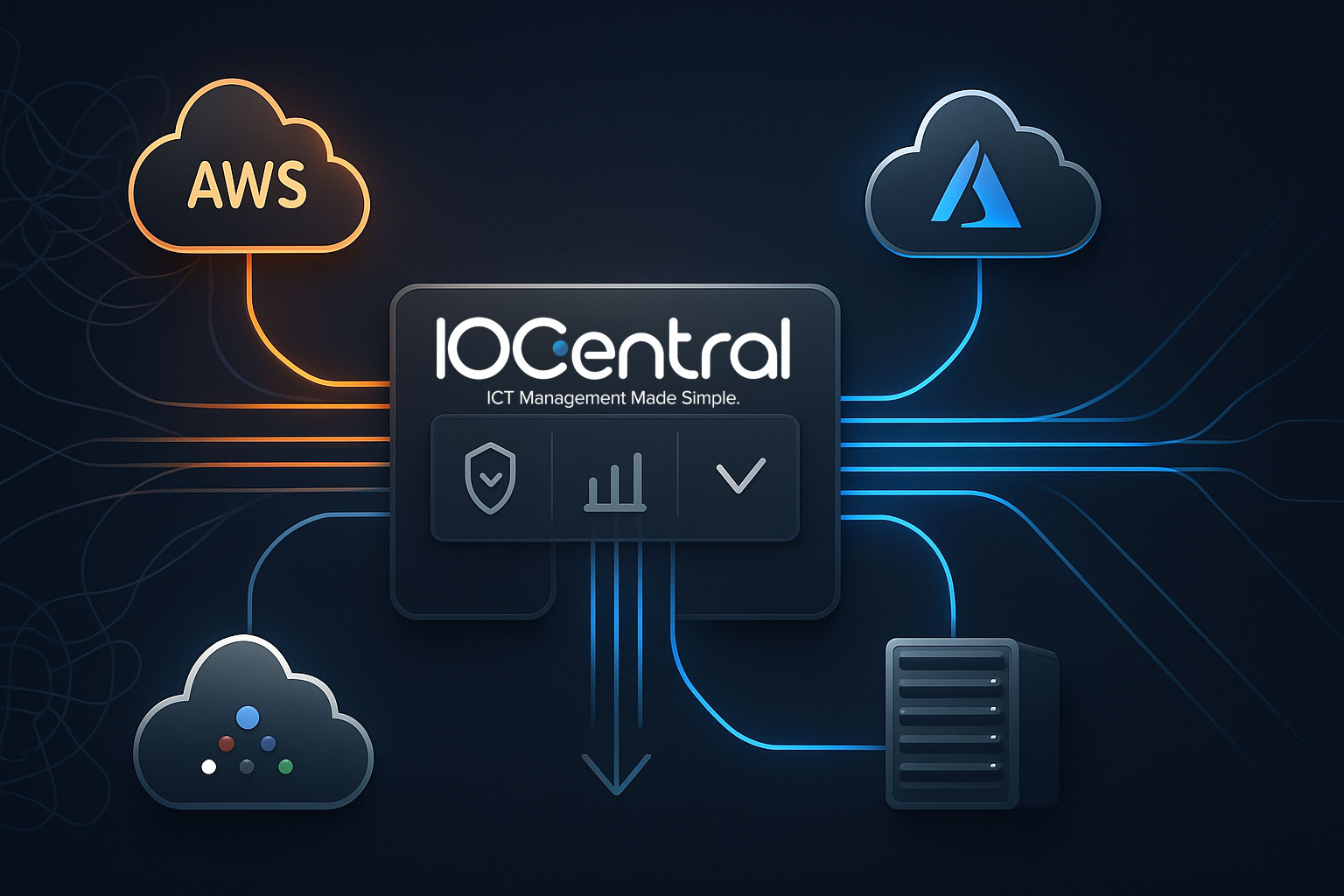
IOCentral multi-cloud management platform overview
You know the pattern. AWS for analytics, Azure for identity, Google Cloud for ML, plus a noisy on‑prem estate and laptops humming with CAD apps. Tickets spike, costs drift, and nobody agrees on which dashboard is the source of truth. The IOCentral multi-cloud management platform closes that gap with centralized management for clouds, endpoints, and hybrid resources in a single, federated view. In practice, that means asset tracking, AI-enabled monitoring, cloud orchestration, and online ticket management that actually tie together. A common misconception is that multi-cloud is too complex for smaller teams. It usually becomes complex because tools are fragmented. We’ve seen teams cut noise and improve time-to-resolution once they consolidate observability and control. One client moved Revit and Civil 3D users into INFINITY Workspaces, then managed it all in IOCentral, and finally stopped troubleshooting the same print spooler issue in three different consoles.
What IOCentral delivers out of the box
The platform is a cloud-native hub that unifies IT asset management, multi-cloud management, and service operations for distributed teams. Highlights we see matter most on day one:
- Single dashboard. Centralized management across AWS, Azure, Google Cloud, and on‑prem systems with consistent role-based access controls and audit trails.
- AI-enabled monitoring. Endpoint performance analytics, anomaly detection, user-experience scoring, and automated suggestions that reduce alert fatigue.
- Asset tracking and reporting. Accurate inventories, lifecycle data, cost and utilization reports, and drift detection for hybrid cloud resources.
- Cloud orchestration. Policy-driven provisioning, right-sizing recommendations, and environment templates that speed repeatable deployments.
- Integrated ticketing. Online ticket management tied to live telemetry and runbooks for faster root-cause analysis.
- 24/7 US-based helpdesk. Real humans who understand AEC and engineering workflows, not just generic scripts.
- Disaster recovery and business continuity. Cross-region replication, automated failover plans, and schedule-based testing aligned to your RPO and RTO targets.
- Security controls. Endpoint security integrations, SSO and MFA support, key management with native cloud KMS, and export to SIEM for compliance needs.
- Collaboration support. Real-time collaboration tooling for design teams, including GPU-aware monitoring for graphics-heavy workloads.
- Scale economics. Flexible capacity with cost-effective solutions that align spend with usage.
INFINITY Workspaces have been recognized in Gartner’s Magic Quadrant for DaaS over consecutive years, which gives leaders confidence in the desktop layer that IOCentral often manages alongside cloud services.
Fast start: three steps to deploy
Step 1. Sign up and map your environment. Connect identity, import assets, and set baseline access policies.
Step 2. Integrate AWS, Azure, and Google Cloud. Apply tags and guardrails, then import workloads to the dashboard.
Step 3. Configure monitoring and reports. Enable endpoint agents, define alert thresholds, and schedule weekly optimization summaries.
How IOCentral’s AI accelerates multi-cloud operations
This is where the IOCentral multi cloud management platform separates itself. The AI layer ingests telemetry from endpoints and cloud resources. Think CPU and GPU metrics, disk queue depth, network RTT by region, process trees, even application-specific signals from CAD and BIM tools. It groups comparable systems, learns normal baselines by cohort, then flags outliers with a confidence score instead of blasting generic alerts.
Two effects matter. First, noise reduction. Tickets get enriched with probable root causes and the two or three most likely fixes. Second, proactive optimization. The system proposes right-sizing actions, schedules patch windows based on user activity patterns, and can automate scale changes through cloud-native APIs when policies allow.
We’ve watched the feedback loop tighten as support data trains suggestions. Closed tickets inform future automation. Reports get crisper each week. Many organizations report around 30 percent efficiency gains once the AI-enabled monitoring and orchestration policies settle. As John D. McMahon noted, IOCentral simplifies multi-cloud management so teams focus on growth, not plumbing.
There are caveats. Good baselines need clean data. Expect a two to four week tuning period, particularly for bursty engineering workloads. Data residency rules apply, so regional processing or anonymization may be required. The upside typically outweighs the setup overhead for teams juggling hybrid cloud and edge sites.
Comparisons, industry fit, and pricing signals
How does IOCentral compare? Platforms like VMware Aria, Morpheus, and Flexera focus strongly on cloud governance and cost; CloudHealth is excellent for FinOps dashboards; Azure Arc and Google Anthos extend native control planes. IOCentral’s advantage is breadth that includes endpoints, ticketing, and 24/7 US-based helpdesk tied directly to AI insights. That matters when endpoint experience drives project schedules.
Industry fit skews toward engineering, construction, and architecture. The platform understands GPU utilization, large-file collaboration, and field connectivity constraints. We’ve also seen solid results in consulting and manufacturing, particularly where edge computing sites sync back to a hybrid cloud.
Pricing signals generally follow a subscription model with tiers. Most deployments blend per-user or per-endpoint licensing for workspaces plus workload-based pricing for cloud resources. Disaster recovery features can be bundled or added. The most cost-effective outcomes come from right-sizing policies and accurate tagging. A quick TCO check should include egress fees, storage tiering, and seasonality.
Security and continuity without extra complexity
Security controls fit how teams already work. SSO with MFA, least-privilege roles, audit logs that export to Splunk or Sentinel, and integration with AWS KMS, Azure Key Vault, and Google Cloud KMS. Endpoint security telemetry folds into the same view, which helps correlate suspicious process spikes with cloud access events.
Business continuity is policy-first. Define RPO and RTO, map dependencies, and let the platform build runbooks that can be tested on a schedule. For regulated environments, alignment with standard control families and clean evidence artifacts simplifies audits. It is not a magic wand, but it reduces the number of moving parts you must wire by hand.
A practical path to multi-cloud maturity
The IOCentral multi cloud management platform meets teams where they are. Start with centralized management and reporting. Layer in AI-enabled monitoring once telemetry is stable. Add disaster recovery policies when dependencies are mapped. Organizations that work with specialists tend to reach steady-state faster, although smaller teams often succeed with a pilot in one business unit.
If you are evaluating tools, ask three questions. Will our endpoints and clouds be managed in one console. Can AI signal-to-noise improve in 30 days. Do DR runbooks stay testable without heroics. If yes, you are on the right track.
Frequently Asked Questions
Q: What are the main features of IOCentral?
IOCentral centralizes multi-cloud, endpoints, and service operations. It includes AI-enabled monitoring, asset tracking, cloud orchestration, ticketing, and disaster recovery. Teams get a single dashboard, cost and performance reports, and 24/7 US-based helpdesk. Start with discovery, then enable policies for right-sizing, DR testing, and endpoint experience scoring.
Q: How does IOCentral compare to other platforms?
It combines cloud governance with endpoint visibility and support. Tools like VMware Aria or CloudHealth emphasize cloud cost and policy only. IOCentral ties AI insights to tickets and runbooks, which shortens MTTR. For AEC workflows and GPU-heavy desktops, that endpoint-plus-cloud model tends to outperform siloed stacks.
Q: Can IOCentral integrate with AWS, Azure, and Google Cloud?
Yes, it integrates natively with AWS, Azure, and Google Cloud. Connections bring in assets, tags, cost, and performance data for unified control. Teams typically map accounts or subscriptions, set guardrails, and use templates for consistent provisioning and right-sizing across providers in a single console.
Q: How does IOCentral ensure security in multi-cloud environments?
It supports SSO with MFA, granular RBAC, encryption, and logging. Integrations with KMS services and SIEM tools keep keys and evidence centralized. Endpoint security telemetry correlates with cloud events, helping identify lateral movement. Regular DR tests and patch windows can be automated to maintain security and business continuity.