

Why Organizations Are Taking a Fresh Look at Desktop as a Service (DaaS)

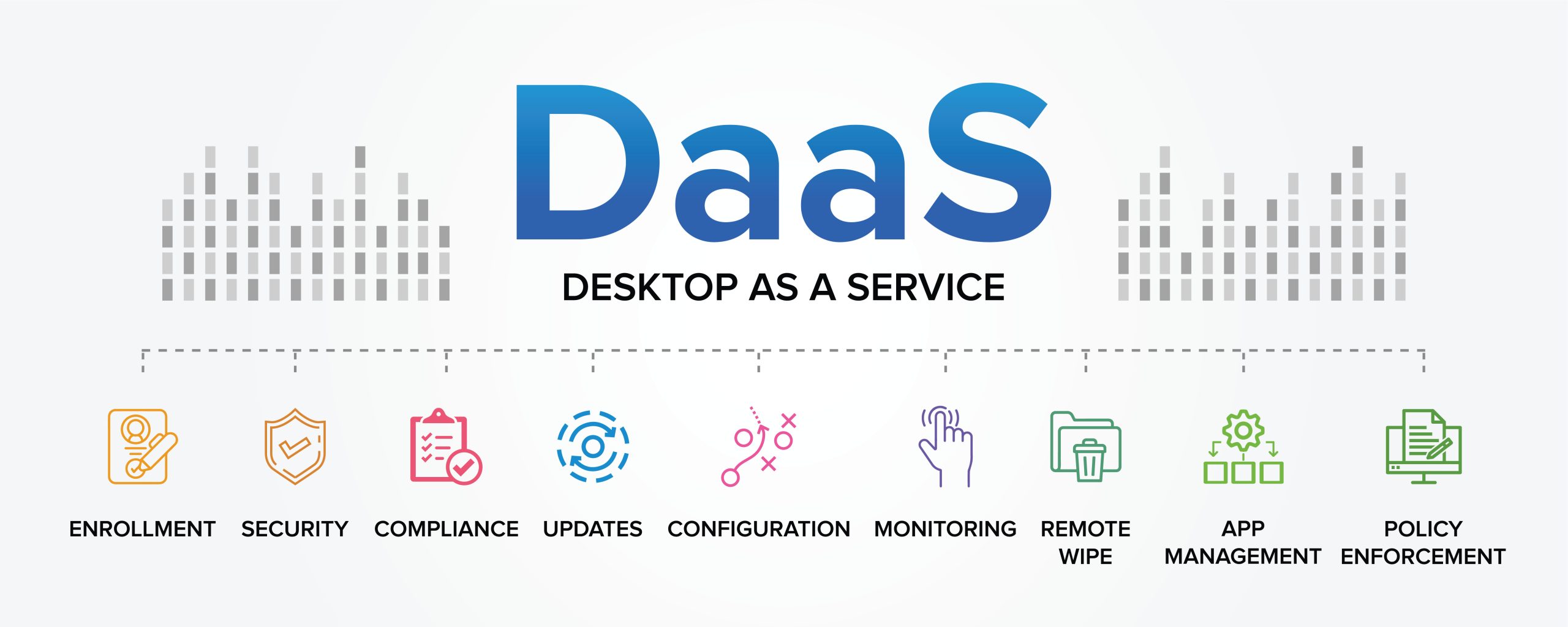
For years, Desktop as a Service, or DaaS, was primarily discussed as a way to support remote and hybrid employees. That perception is changing.
Organizations are now evaluating DaaS as part of a broader infrastructure, security, device lifecycle, and AI strategy. Secure remote access remains an important use case, but businesses are increasingly looking at DaaS through the lens of total cost of ownership, operational efficiency, security, scalability, and emerging AI workloads.
At the same time, rising hardware costs, supply chain constraints, growing memory requirements, and increasing IT support demands are forcing organizations to reconsider how much computing power needs to reside on every physical endpoint.
For many businesses, the question is no longer simply, “Should we move desktops to the cloud?”
It is becoming:
Can DaaS provide a more efficient, scalable, and secure way to deliver computing resources to both employees and AI workloads?
Looking Beyond the Purchase Price
The cost of an endpoint is not limited to its initial purchase price.
Organizations must also account for configuration, application installation, shipping, maintenance, replacement parts, IT support, downtime, and eventually replacing the device itself. Together, these expenses contribute to the total cost of ownership, or TCO, of laptops and desktops.
This is one reason organizations are taking another look at DaaS.
When the complete lifecycle cost of a physical device is considered, including deployment, support, repair, downtime, and replacement, the cost difference between DaaS and traditional endpoint models can become significantly narrower.
DaaS changes the equation by moving applications, processing power, memory, storage, and the desktop environment into a centrally managed cloud platform. The physical device primarily becomes a secure access point to those resources.
In the right use cases, this can allow organizations to keep serviceable laptops and desktops in use longer.
A device may no longer have the processor, RAM, GPU, or storage required to efficiently run increasingly demanding applications locally, but it may still be capable of securely accessing a cloud desktop where those resources are provided centrally.
This is becoming especially relevant as organizations introduce AI-enabled applications and workflows that place additional demands on local hardware.
Instead of upgrading every employee to a higher-specification laptop, organizations can allocate cloud computing resources based on the actual requirements of each user’s workload.
This does not mean keeping unsupported or unreliable hardware indefinitely. Endpoints must still meet security, operating system, connectivity, and usability requirements.
The difference is that IT leaders can make hardware replacement decisions based on the condition and security of the device rather than simply because it lacks sufficient local computing resources.
Faster Deployment Without Waiting for Hardware
Hardware procurement can also create significant delays during employee onboarding.
A traditional onboarding process may require IT to order a laptop, wait for it to arrive, configure the operating system, install applications, apply security policies, ship the device, and assist the employee with setup.
Hardware availability, component and memory shortages, and shipping logistics can turn a straightforward onboarding process into days or even weeks of waiting.
A well-designed DaaS platform can significantly reduce this dependency.
IT teams can create standardized desktop configurations based on an employee’s role, department, applications, and access requirements. Once identity and permissions are established, a cloud desktop can be provisioned from an approved configuration.
Instead of building each environment from scratch, IT can replicate standardized desktop images and provision resources on demand.
This can be particularly valuable for:
- Remote and geographically distributed employees
- Contractors and temporary workers
- Offshore teams
- Third-party developers
- Seasonal hiring
- Contact center employees
- Mergers and acquisitions
- Rapidly expanding organizations
- Business continuity situations
For contractors and third parties in particular, DaaS can also reduce the logistical and security challenges associated with purchasing, configuring, shipping, recovering, and managing company-owned hardware.
DaaS Is Expanding Beyond Human Users
One of the most interesting emerging DaaS use cases has little to do with traditional employee desktops.
Organizations are beginning to evaluate virtual desktops as dedicated environments for AI agents and computer-use agents.
Instead of allowing an autonomous AI agent to operate directly on an employee’s laptop, organizations can provision a separate virtual desktop specifically for that workload.
The AI agent can have dedicated:
- Compute resources
- Memory
- Storage
- Applications
- Security policies
- Access permissions
- Desktop environment
This separation becomes increasingly important as agentic AI evolves from answering questions to performing complex, multi-step tasks across applications and systems.
An AI agent operating within its own virtual desktop can perform assigned workflows without occupying an employee’s screen, consuming the employee’s local memory and processing resources, or interfering with their normal work.
It also gives IT teams another layer of control over the applications, systems, and data available to the AI workload.
As AI adoption grows, organizations may increasingly find themselves managing two categories of desktop users: human employees and nonhuman digital workers.
A centralized DaaS platform provides an infrastructure model capable of supporting both.
Centralizing Patching and Security Operations
Managing hundreds or thousands of individual endpoints creates significant operational complexity.
Each device may have a different hardware configuration, software version, application set, operating system, or patch status. Over time, these differences can create configuration drift and security gaps.
A centralized DaaS platform gives IT teams greater control over how desktops are configured, updated, monitored, and protected.
Rather than addressing machines individually, administrators can test security patches and application updates within a controlled environment before deploying them across selected groups of virtual desktops.
Updates can be introduced in stages, allowing IT teams to identify application compatibility or performance issues before a broader rollout.
This becomes particularly valuable when organizations are responding to zero-day vulnerabilities and other rapidly emerging threats.
Instead of determining which individual physical endpoints are online, vulnerable, patched, or running different configurations, IT teams can manage standardized desktop environments from a central platform.
Depending on the architecture and recovery capabilities, administrators may also be able to restore an affected desktop to a previous image, snapshot, or known-good configuration if an update creates instability or an unexpected security issue.
Centralization can turn patching from a device-by-device exercise into an infrastructure management strategy.
Improving Threat Detection and Mitigation
The same centralization can improve how organizations detect and respond to security incidents.
When desktops, applications, policies, and security controls are managed through a common platform, security teams can gain more consistent visibility across the user environment.
Teams can more quickly:
- Review suspicious activity
- Restrict or revoke access
- Disable compromised sessions
- Isolate affected virtual desktops
- Apply security policies
- Deploy threat mitigations
- Restore approved configurations
- Limit the potential spread of an incident
If suspicious activity is identified within a specific user environment, security teams may be able to isolate that virtual desktop without disrupting an entire office or organization.
DaaS does not eliminate cybersecurity risk. It must still be supported by strong identity controls, multifactor authentication, endpoint protection, network security, monitoring, backups, and well-defined incident response procedures.
However, centralized desktop management can reduce the number of disconnected configurations, and manual processes security teams must navigate during an incident.
Improving the End User Experience and IT Support
The economics of DaaS are also affected by something that can be difficult to see on a hardware invoice: IT support labor.
A significant amount of help desk activity consists of repetitive tasks such as password resets, session issues, application problems, desktop reboots, resource adjustments, and other common user requests.
Centralized desktop management creates an opportunity to automate more of these activities.
Modern DaaS management platforms can provide administrators with visibility into users, sessions, applications, and desktop resources while enabling automation of repetitive frontline support functions.
For example, IronOrbit’s IOCentral provides centralized management and automation capabilities that can help IT teams address common administrative and support requirements without manually managing every individual desktop.
As AI and automation become more integrated into IT operations, organizations can further reduce repetitive support work while improving the digital employee experience.
The value of DaaS therefore extends beyond infrastructure. It can also affect how efficiently an IT organization supports its users.
Evaluating DaaS as a Business Strategy
The renewed interest in DaaS is not simply about replacing physical desktops with virtual ones.
It reflects a larger change in how organizations are evaluating workforce technology.
IT and business leaders are asking:
- Can we extend the useful life of our existing devices?
- Can we reduce our exposure to rising hardware costs?
- Can we onboard employees without waiting for new laptops?
- Can we reduce the impact of local CPU, GPU, RAM, and storage limitations?
- Can we standardize desktop configurations across locations?
- Can we deploy security updates and threat mitigations faster?
- Can we isolate compromised environments more quickly?
- Can we automate repetitive IT support tasks?
- Can we securely provide desktops to contractors and third parties?
- Can we provide dedicated computing environments for AI agents?
- Can we allocate computing resources based on workload instead of physical device specifications?
The answers depend on each organization’s applications, workforce, security requirements, connectivity, support model, and existing infrastructure.
A meaningful DaaS evaluation should therefore compare the complete operational model, not simply the monthly price of a cloud desktop against the purchase price of a laptop.
Hardware acquisition, lifecycle, deployment, IT support labor, security, downtime, employee onboarding, resource scalability, and business continuity should all be part of the calculation.
When viewed through that broader lens, the economics and business case for DaaS can look very different than they did several years ago.
And that is why organizations are taking a fresh look at Desktop as a Service.
Learn More About IronOrbit INFINITY Workspaces
IronOrbit’s INFINITY Workspaces is a fully managed Desktop as a Service solution designed to help organizations centralize desktop delivery, accelerate user provisioning, strengthen security, support demanding workloads, and provide IT teams with greater control over their computing environments.
From traditional knowledge workers and high-performance users to contractors and emerging AI workloads, INFINITY Workspaces gives organizations the flexibility to align computing resources with the needs of each workload. IronOrbit’s cloud model is built around predictable monthly pricing, providing greater cost certainty than consumption-based cloud models where expenses can fluctuate with usage.
Frequently asked questions about DaaS
What does DaaS stand for?
DaaS stands for Desktop as a Service. It provides users with access to a cloud-hosted desktop environment through an approved internet-connected device.
What is the primary benefit of DaaS?
The primary benefit is centralized desktop delivery and management. This can improve provisioning, security consistency, support, scalability, and lifecycle planning.
Can employees use existing laptops with DaaS?
In many cases, yes. Existing laptops may be used when they remain supported, secure, reliable, and compatible with the DaaS platform.
How quickly can a DaaS workspace be deployed?
A preconfigured workspace can generally be provisioned much faster than purchasing, shipping, and manually configuring a new laptop. Actual deployment times depend on the provider, applications, approvals, and environment complexity.
Can DaaS help organizations recover from a failed update?
Depending on the platform, backup design, and desktop architecture, administrators may be able to restore a previous desktop image, snapshot, or known-good configuration.
Is DaaS secure?
DaaS can support a strong security posture when it is properly designed and managed. Security depends on the provider’s architecture, identity controls, monitoring, endpoint protection, backups, access policies, and operational practices.
Who should consider DaaS?
DaaS may be appropriate for organizations that support distributed users, require centralized security, manage demanding applications, experience frequent onboarding, or want a more strategic approach to device lifecycle and IT costs.